
Copia segura del DNI — a copy of your ID that is only good for one purpose.
A free web tool to prepare the photo of your Spanish ID card (DNI) before you send it for a rental, a phone contract or any online sign-up. It prints across the image who the copy is for, which procedure and on what date, lets you black out whatever is not needed, and saves the result. Everything happens on your phone: the photo is never uploaded anywhere.
It is something minimal, taken from my years working in cybersecurity and digital identity, and published without any commercial aim in case it is useful to someone. No ads, no sign-up, no app to install. The tool itself is in Spanish.
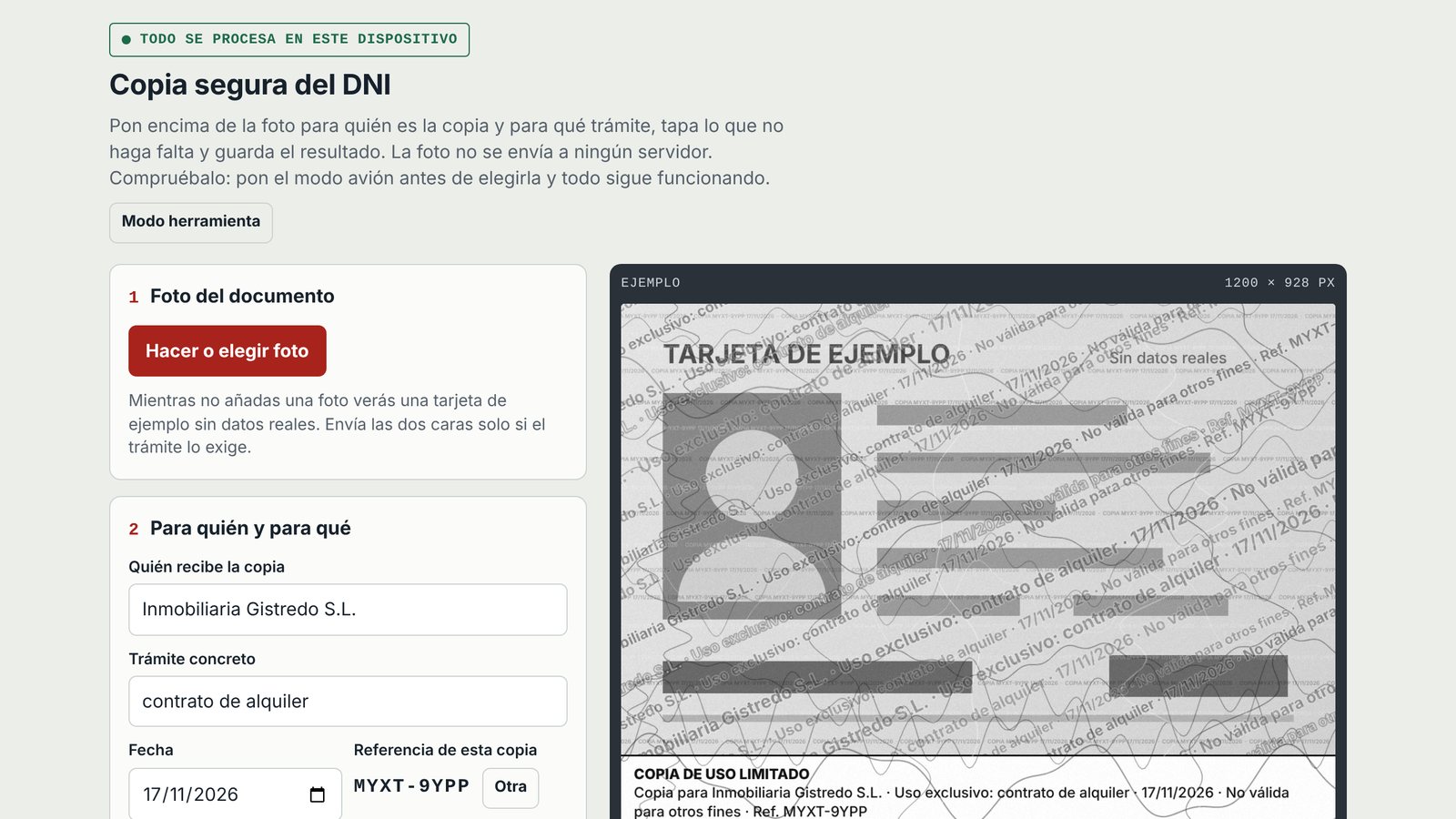
Until you add a photo, the tool shows an example card with no real data. All the images on this page use that example.
The problem, in one sentence
Every rental, sign-up or booking leaves a clean copy of your ID in someone else's database — and a clean copy is a reusable credential: when one of those companies is breached, it can be presented somewhere else in your name. A copy that states who it was given to, for what and when does not pass as a clean document anywhere else, and what you blacked out cannot be stolen because you never sent it.
Your ID number is for life; it cannot be rotated like a password. You do not control how each company stores your data, but you do control what you hand over. That is the whole idea.
Five steps, about a minute
Photo of the document
Take or choose the photo. One side, or both stacked in a single image if the procedure really needs them. Each side can be rotated.
Who it is for, and what for
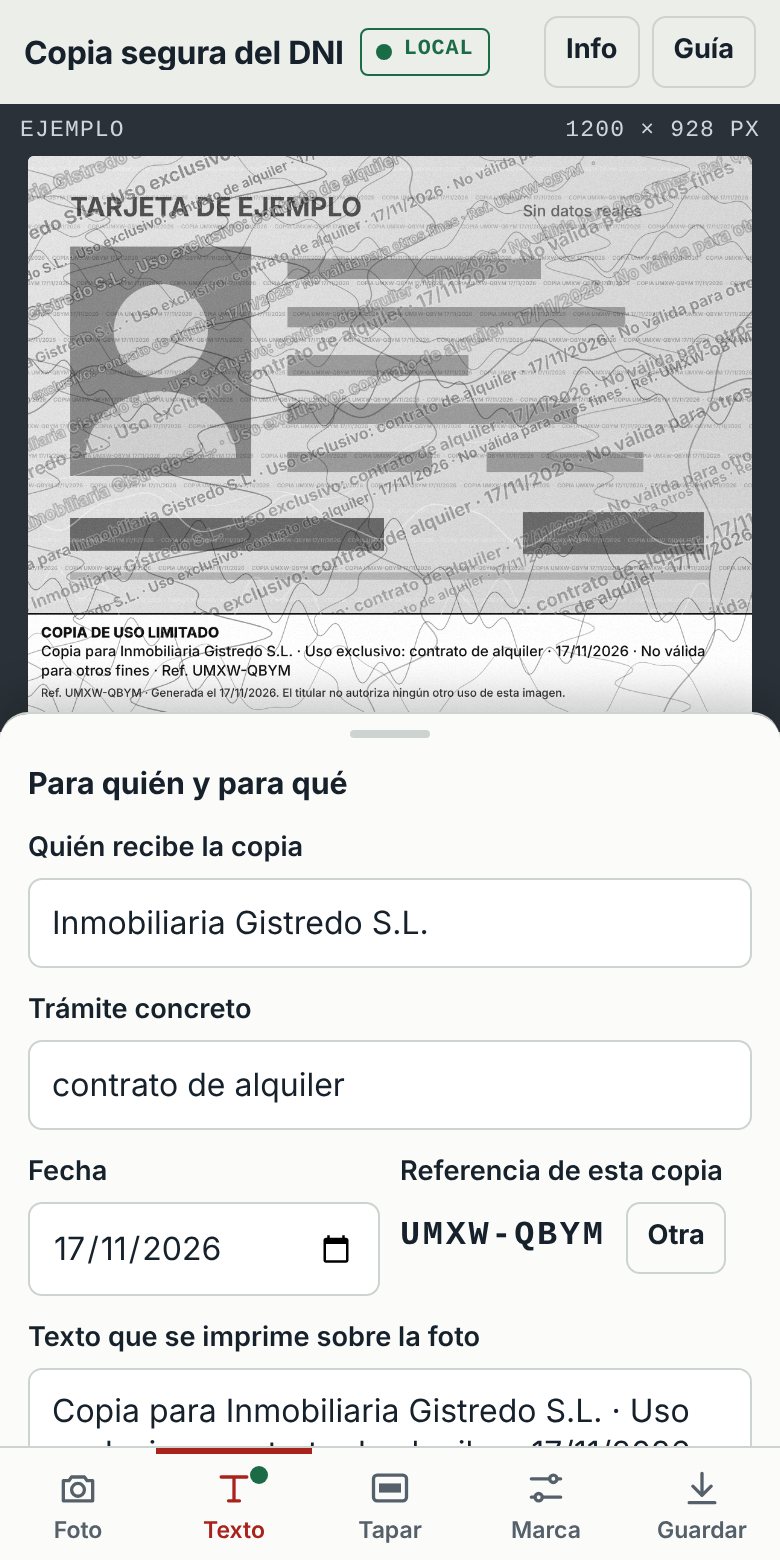
Recipient, specific procedure and date. The tool composes the text and adds a random reference unique to that copy. If the image ever turns up where it should not, the image itself says who you gave it to.
Black out what is not needed
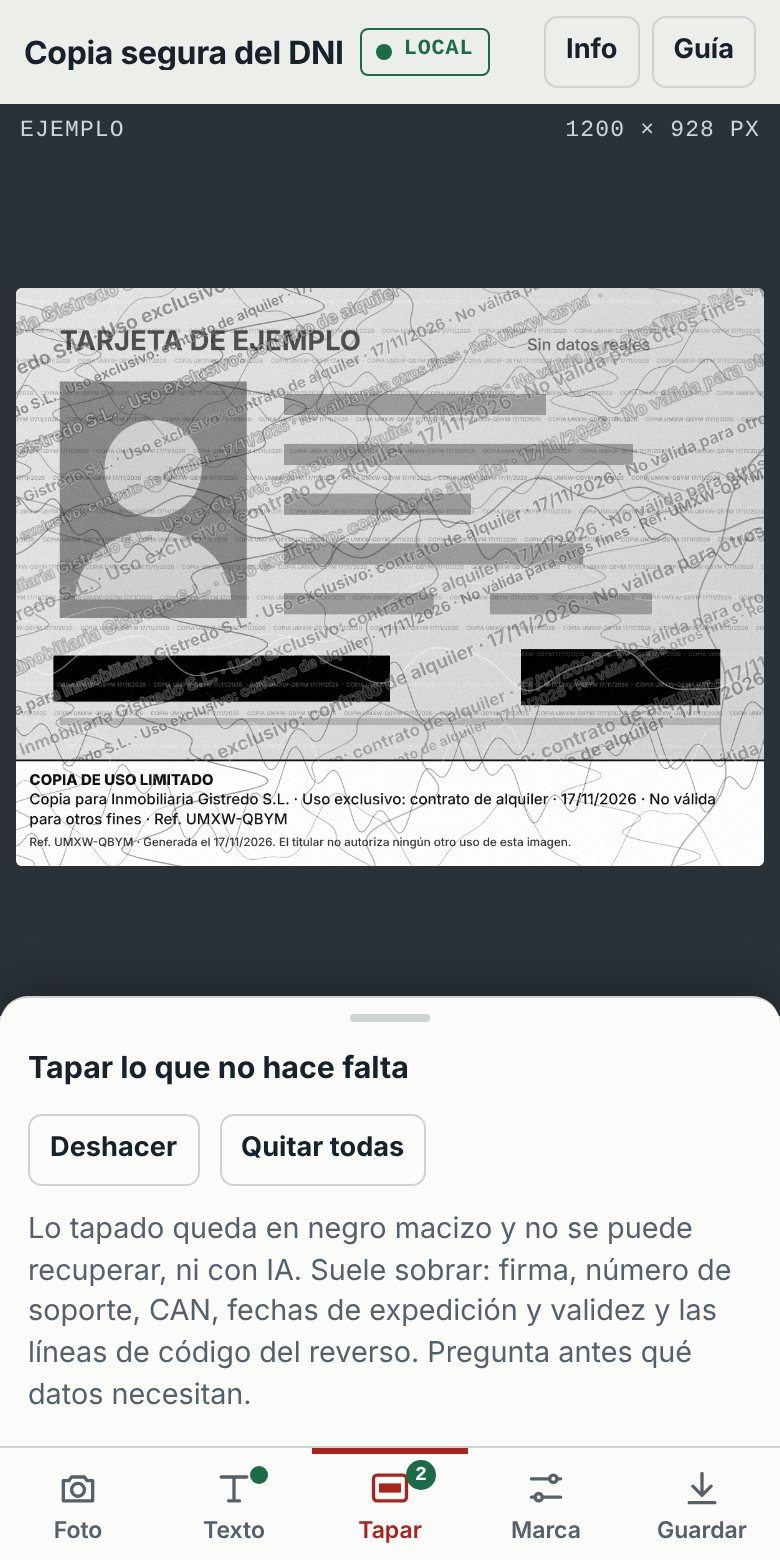
Drag a finger over signature, support number, CAN, issue and expiry dates or the machine-readable lines. Redacted areas are solid black in the pixels: the data is no longer in the file, so there is nothing to recover.
Adjust the mark
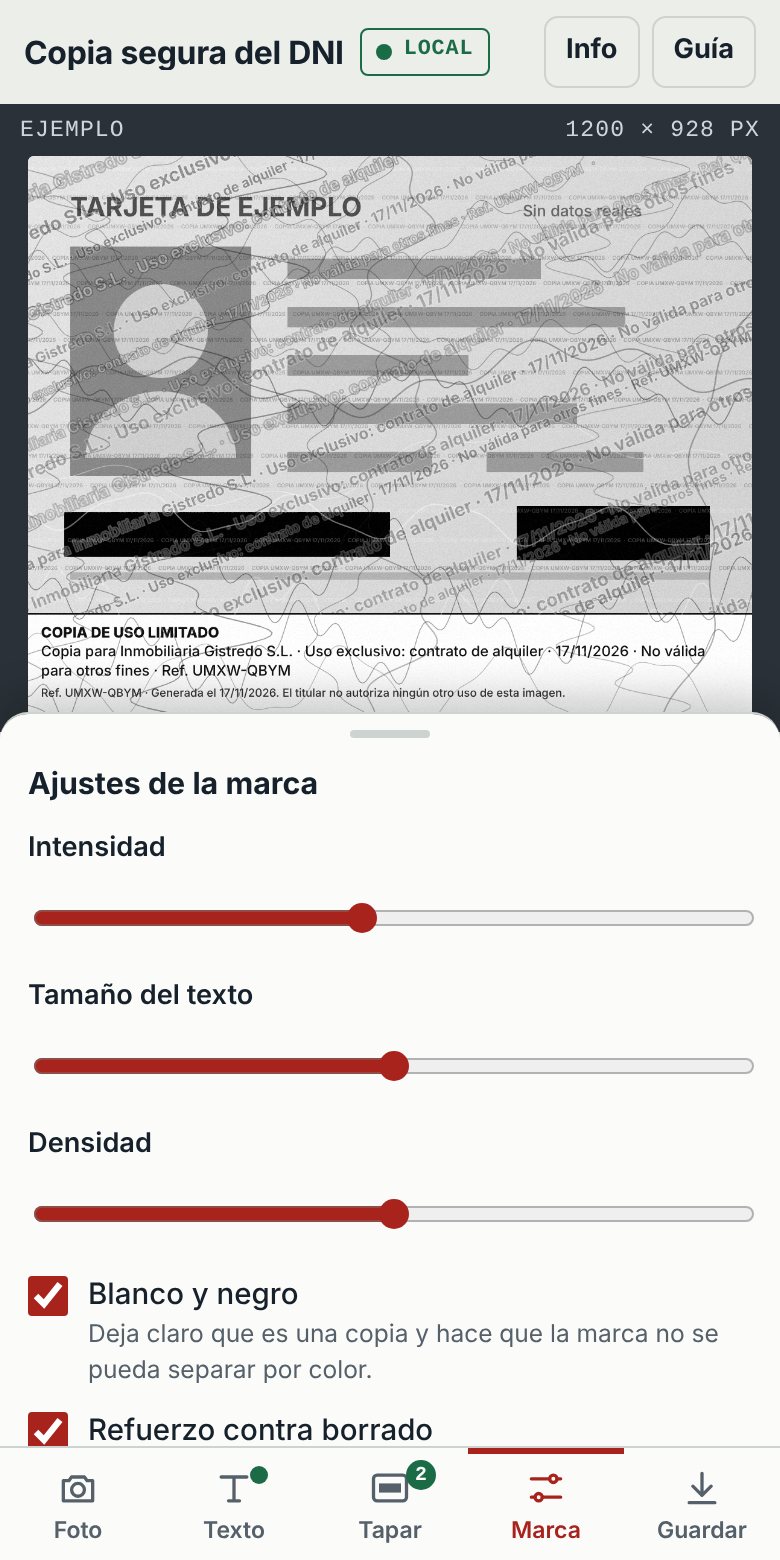
Intensity, text size and density, with three options on by default: black and white, anti-removal reinforcement, and a readable caption at the foot stating the authorised use.
Save or share
JPG or a one-page A4 PDF, saved or sent through the phone's share sheet. You also get a small receipt for your own notes: reference, recipient, procedure, date and the SHA-256 fingerprint of the file.
Two ways to use the same controls
Guide mode walks you down the page step by step, for the first time you use it. Tool mode — the default on a phone — keeps the preview fixed on top with five tabs at the bottom and one sliding panel at a time, the way a camera or photo-editing app works.
A tool that uploads your ID to protect it creates the problem it tries to solve
Nothing leaves the device
The photo, the text and the generated file stay in the browser. The page ships a Content-Security-Policy that blocks every outgoing connection and form submission, so it could not send the photo even by mistake.
Check it yourself: airplane mode
After the first visit the page is kept for offline use and can be added to the home screen. Switch to airplane mode before choosing the photo and everything still works — the simplest proof that nothing is uploaded.
No cookies, analytics or storage
No registration, no tracking, nothing of yours saved on the device. Close the page and the photo and the text are gone. The only thing the hosting server ever sees is the IP address of whoever downloads the page, like any website.
One file, no dependencies
A single HTML page of about 59 KB. No frameworks, no external fonts, no third-party scripts: anyone can open the source and read everything it does.
Hard to wipe, honest about its limits
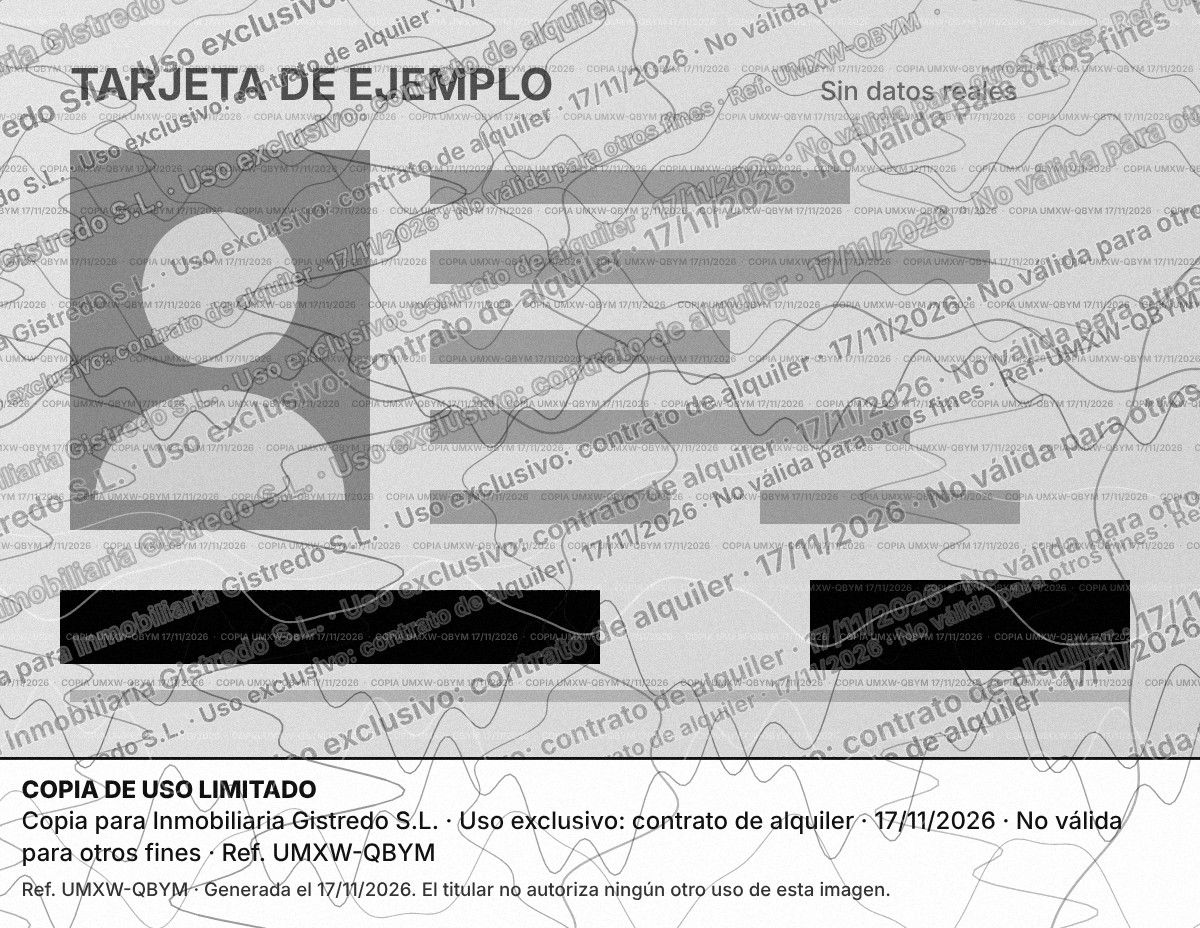
No visible watermark is impossible to remove, and the tool says so. What it does is make removal expensive and leave traces:
- Every repetition is different — size, angle and tone vary across the image, and the pattern is derived from the copy's reference, so no two copies share the same drawing.
- Layers that cross photo and text — fine wavy lines, microtext and grain on top of the tiled text. Cleaning it means regenerating the whole image, which leaves inconsistencies.
- Black and white by default — makes clear it is a copy and prevents separating the mark by colour.
- Metadata — the camera's own data (GPS, model, time) is dropped, and the authorised use and reference are written inside the file (EXIF, XMP, PDF properties). Many portals strip them when recompressing; they help if the file leaks as is, no more.
Whether a marked copy is accepted depends on whoever asks for it. The approach follows the data-minimisation principle of the GDPR (art. 5.1.c) and the public advice of the Spanish National Police and the AEPD to mark ID copies with their purpose. It is an independent personal project with no relation to any public body, and it is not legal advice.
Non-profit, and deliberately small
No commercial aim
Free, without advertising or registration. The only goal is to improve people's security a little: fewer clean copies of ID documents sitting in databases.
Learned in digital identity
It applies one small lesson from my years in cybersecurity and digital identification: a document copy should be bound to its purpose and carry only the data that purpose needs.
Hosted on a borrowed domain
It lives under altobierzo.com, the domain of another project of mine, simply to avoid maintaining one more domain. If it gets real adoption, it will move to a domain of its own.
What's under the hood
image Image pipeline
- Plain HTML, CSS and JavaScript on the Canvas API — no libraries
- Watermark pattern generated from a seed derived from the copy's reference
- Reference from the browser's cryptographic random generator
- EXIF, XMP and JPEG comment written by hand into the output file
- Minimal PDF writer that wraps the JPEG in one A4 page
- SHA-256 fingerprint of the result via Web Crypto
phone_iphone Delivery
- Static file on existing hosting — no backend, no database
- Strict Content-Security-Policy: no outgoing connections, no form posts
- Service worker and web manifest: offline use and home-screen install
- Native share sheet where the browser supports it
- Mobile-first layout, light and dark themes, keyboard and screen-reader labels
Next time someone asks for a photo of your ID
Open it on your phone, try it first with the example card, and pass it on if you think it can help someone.
arrow_outward Open altobierzo.com/DNI.html